Miscellaneous Settings
You can define PaperSave related global configurations from within the Miscellaneous Settings option.
Note: The modified config value will be updated for all the other PaperSave users.
The following video covers how to manage Miscellaneous settings.
Note: The Config Value will have a different user control based on the type of selected config. E.g. Text box, Toggle button, Drop-down, Date picker, etc
Tip: To save the updated value, you can either click on X in the dialog box or press Esc from the keyboard. And to exit the Miscellaneous Settings, you can press Esc from the keyboard or click on Configuration from the breadcrumbs available in the application bar.
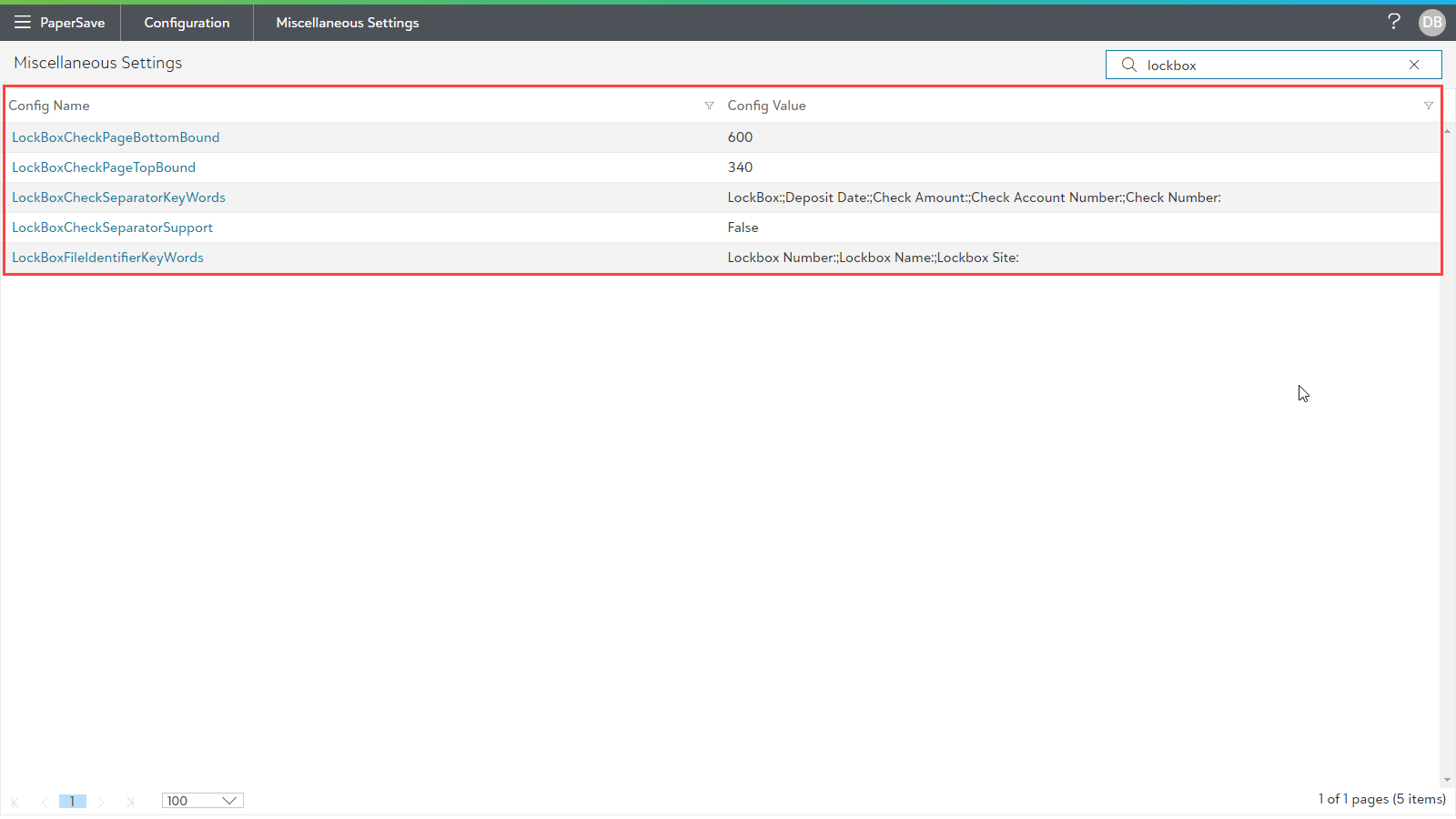
For the Lockbox processed files, you must configure the settings as mentioned in the below table:
| ConfigName | Default Config Value | Description |
| LockBoxCheckSeparatorSupport | False | Change the value to True to enable the lockbox functionality in PaperSave. |
| LockBoxFileIdentifierKeyWords | Lockbox Number:;Lockbox Name:;Lockbox Site: | Enter the keywords from the header section of the Lockbox file which helps in identifying the Lockbox file. |
| LockBoxCheckSeparatorKeyWords | LockBox:;Deposit Date:;Check Amount:;Check Account Number:;Check Number: | Enter the keywords from the footer section of the file after which the check separator should be processed. |
| LockBoxCheckPageTopBound | 340 | Enter the value from where the check extraction should begin from the file. Based on this value, it calculates the starting location of the check's image in the file. |
| LockBoxCheckPageBottomBound | 600 | Enter the value till where the check extraction should work. Based on this value, it calculates the end location of the check's image in the file. |